Stacked Out Certificates
Certificate software built by a spark who writes certs
Take the readings at the board, or say them out loud. On EICR, EIC and Minor Works, every one gets checked against the BS 7671 tables the moment you enter it, so a bad Zs gets caught on site, not back at the office.
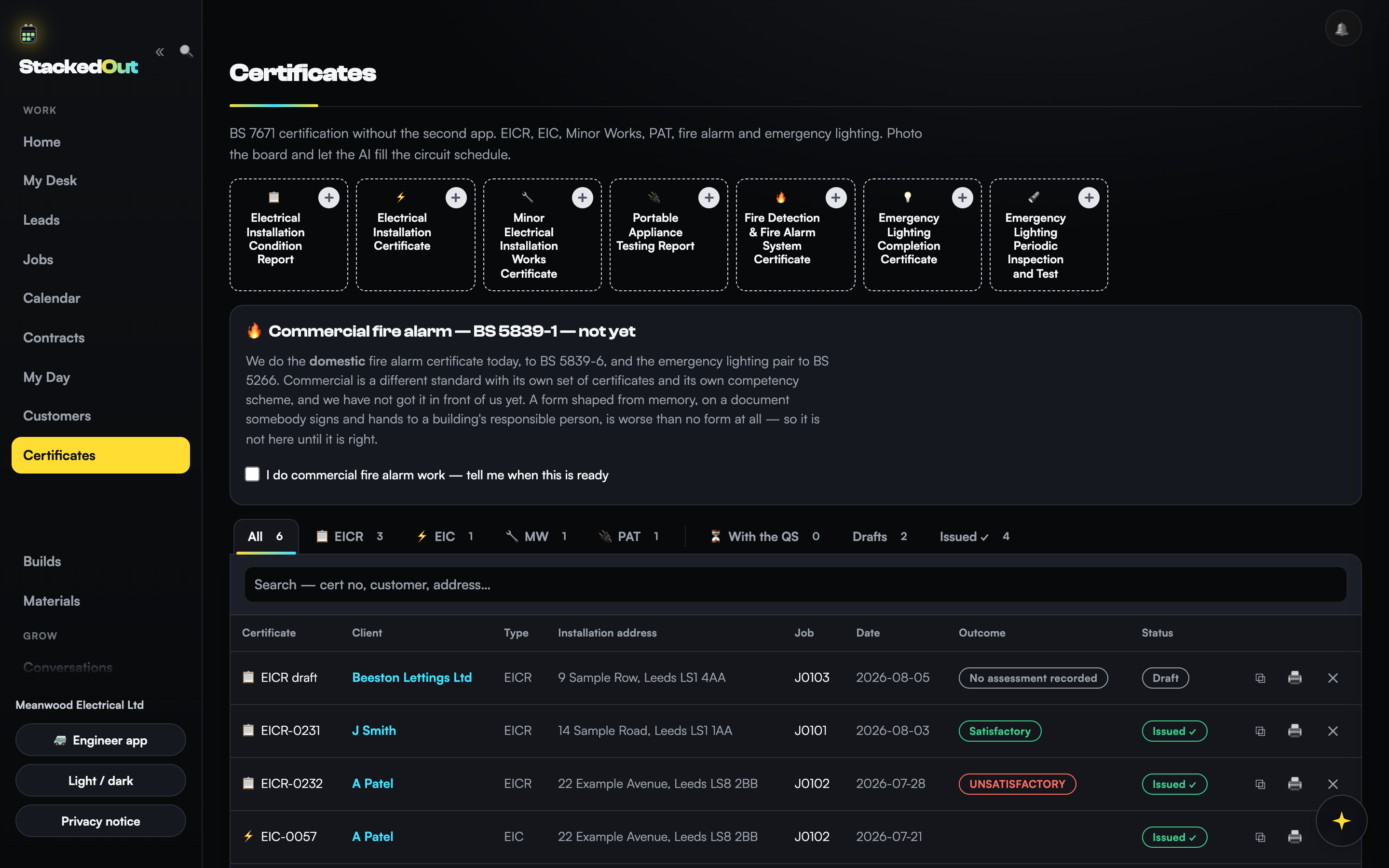
Pick the certificate, start the job
Client, site and installation details, filled in once.
Take the readings, or snap the board
Say the numbers out loud, or photograph the consumer unit and let it read the circuits.
Every reading checked against BS 7671, live
Zs, IR, RCD times and ring diagnostics, flagged on the row as you go.
Ask Maisie on the judgement call, then sign
She points to the regulation, you decide, then issue the signed PDF.
How it works
From the board to a signed certificate, in four steps
No separate app for readings and another for the paperwork. One job, start to finish, on the phone that's already in your pocket.
What it does
Voice entry, repeat EICRs, checked against BS 7671
Voice test entry
Say the readings and the row fills.
Repeat EICR in one tap
Keeps the boards and circuits, wipes the readings.
Retest recall
Next due comes off the cert, flagged at 90 days.
Photo the board, AI fills the schedule
Snap the board and the circuit schedule fills itself in.
PDFs named for the job
You file it without opening it.
RAMS and COSHH
Written to the job type and the address.
The engine
The app checks your readings before you sign
Every check here is arithmetic against a published limit. Same readings, same answer, every time, and you can go and check the numbers yourself.
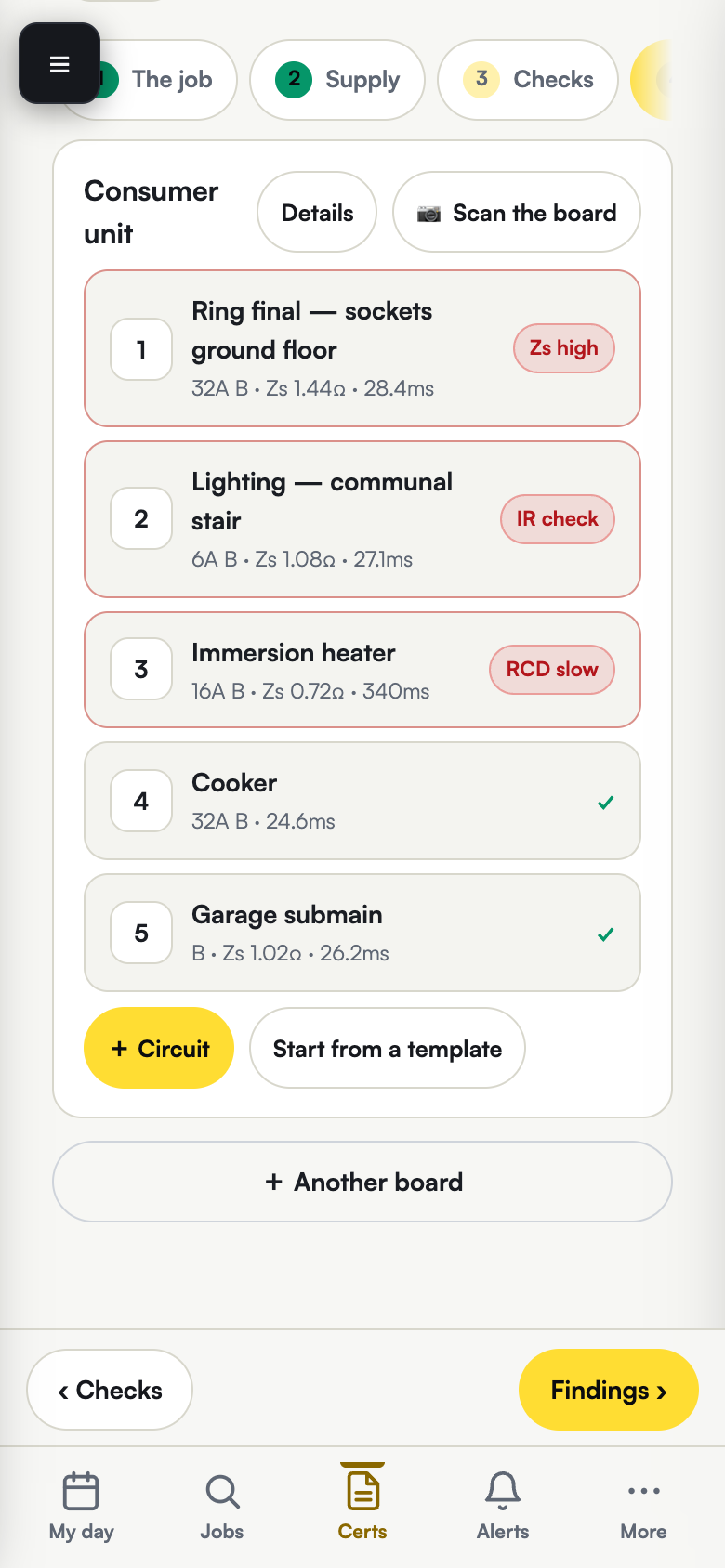
Find the bad circuit before the app does
Five circuits, straight off a job.
Six checks on every schedule you write
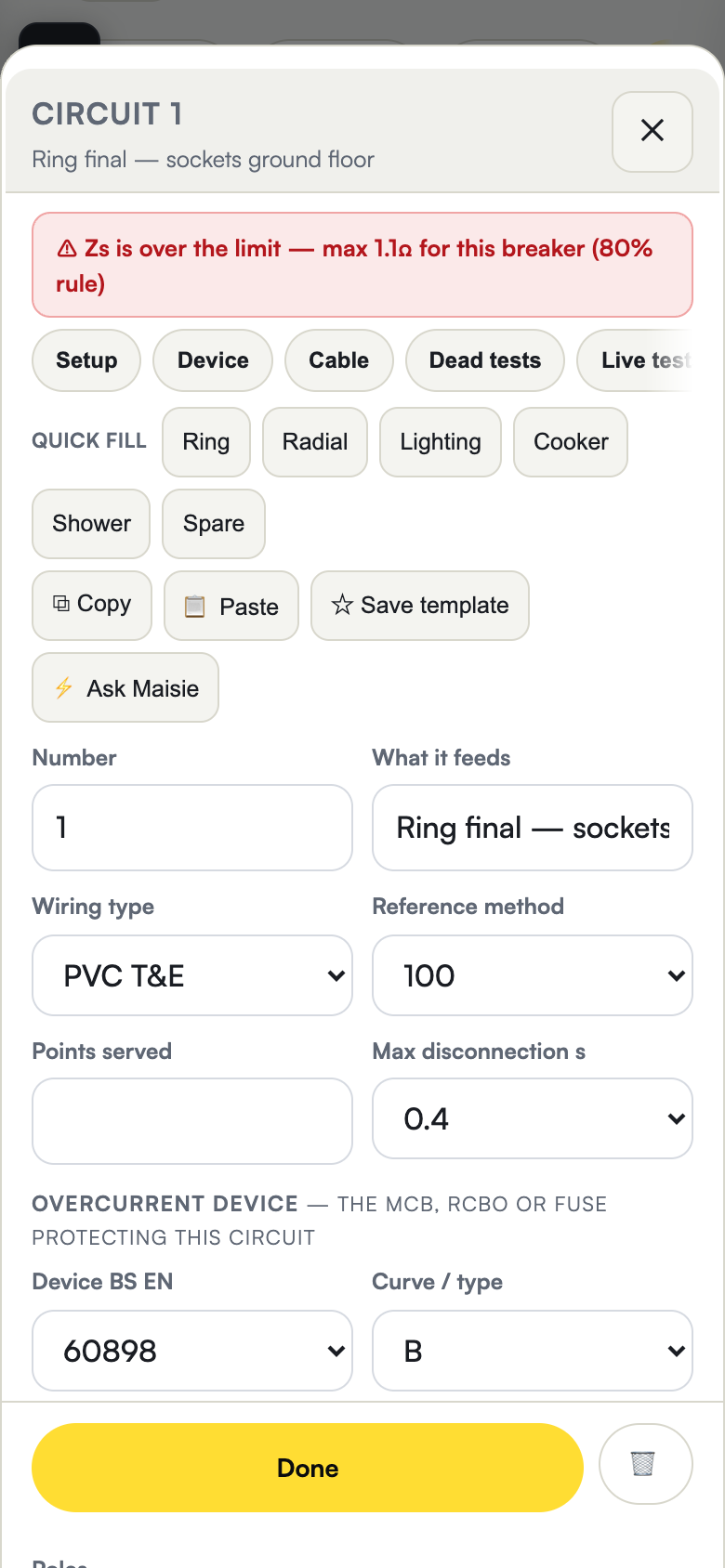
Zs over the tabulated maximum
Checked against the BS 7671 figure for that device.
Zs below R1+R2
A loop that reads lower than its own conductors.
IR under 1 MΩ
Flagged on the row it sits on.
RCD over 300 ms
Type S gets 500 ms.
Ring final diagnostics
r1 and rn far apart. Interconnection or a break.
The observation library
165, most with a code and its regulation.
Maisie · in every certificate
Ask Maisie when the coding's a judgement call
Maisie is Stacked Out's AI, built around BS 7671:2018+A2:2022+A3:2024 and Guidance Note 3.
The app does the maths
The max Zs figure comes off the app's own Table 41.2, 41.3 and 41.4 computation. Not out of her head.
She talks it through
Judgement calls the table doesn't cover. She'll quote the regulation, so you can look it up.
A last look before you sign
Gaps, Zs, IR, RCD. Checked against the same tables, on every circuit, every time.
Maisie doesn't decide and she doesn't sign. She'll get things wrong. Always your call, verify against BS 7671. The conclusion's yours, and so's the name at the bottom of the cert.
Live on this page
Ask her something and see what comes back
Type into that phone and Maisie answers it for real. She names the regulation she went off, so you can look it up yourself.

Maisie
On the tools, not behind a desk
Ask Maisie a question about BS 7671. She answers live.
Two questions
Maisie can get things wrong. Check anything you sign.
Maisie is not reachable from this page just now.
Set me upProof
The actual app, live today
Screenshots from a demo account.
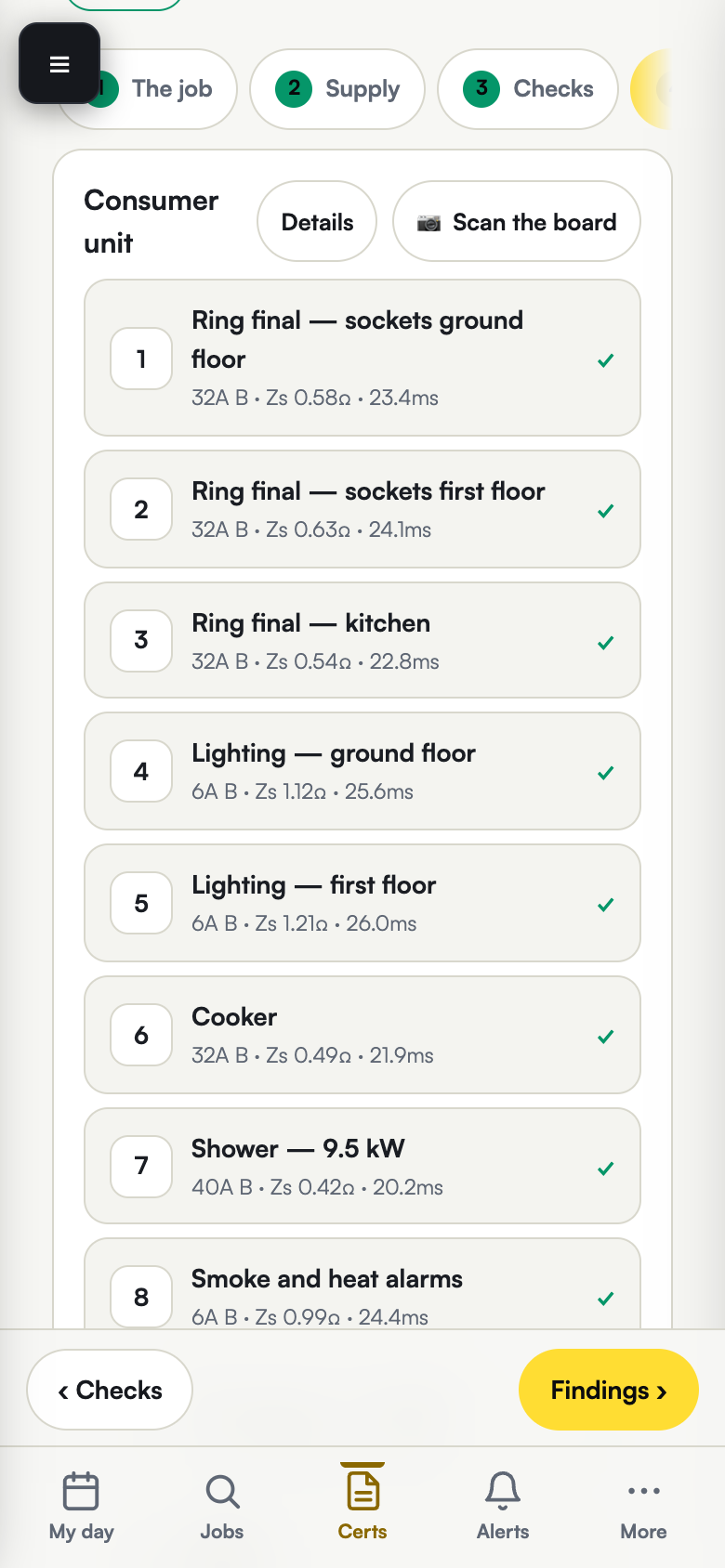
Readings go in on the phone, at the board.
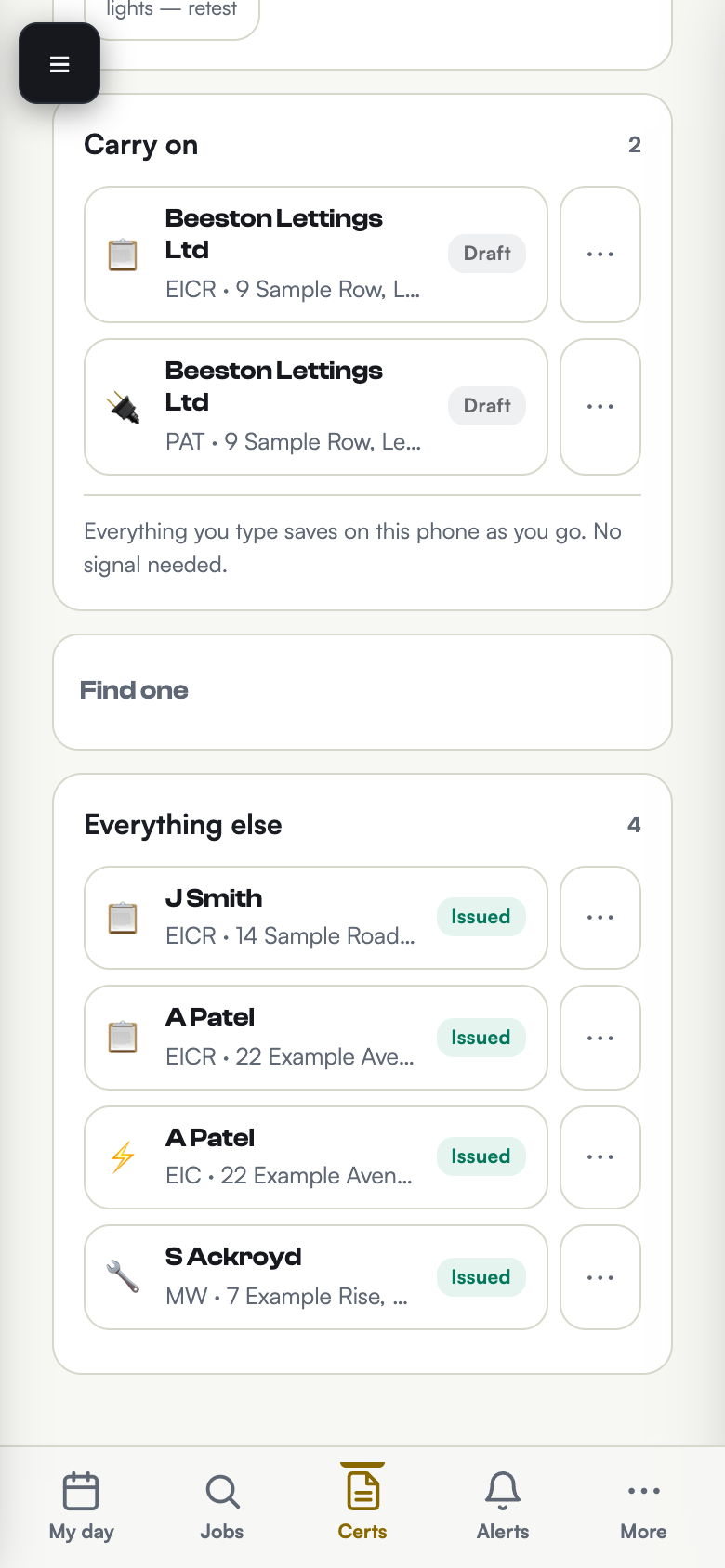
Every cert you've written, drafts and issued.
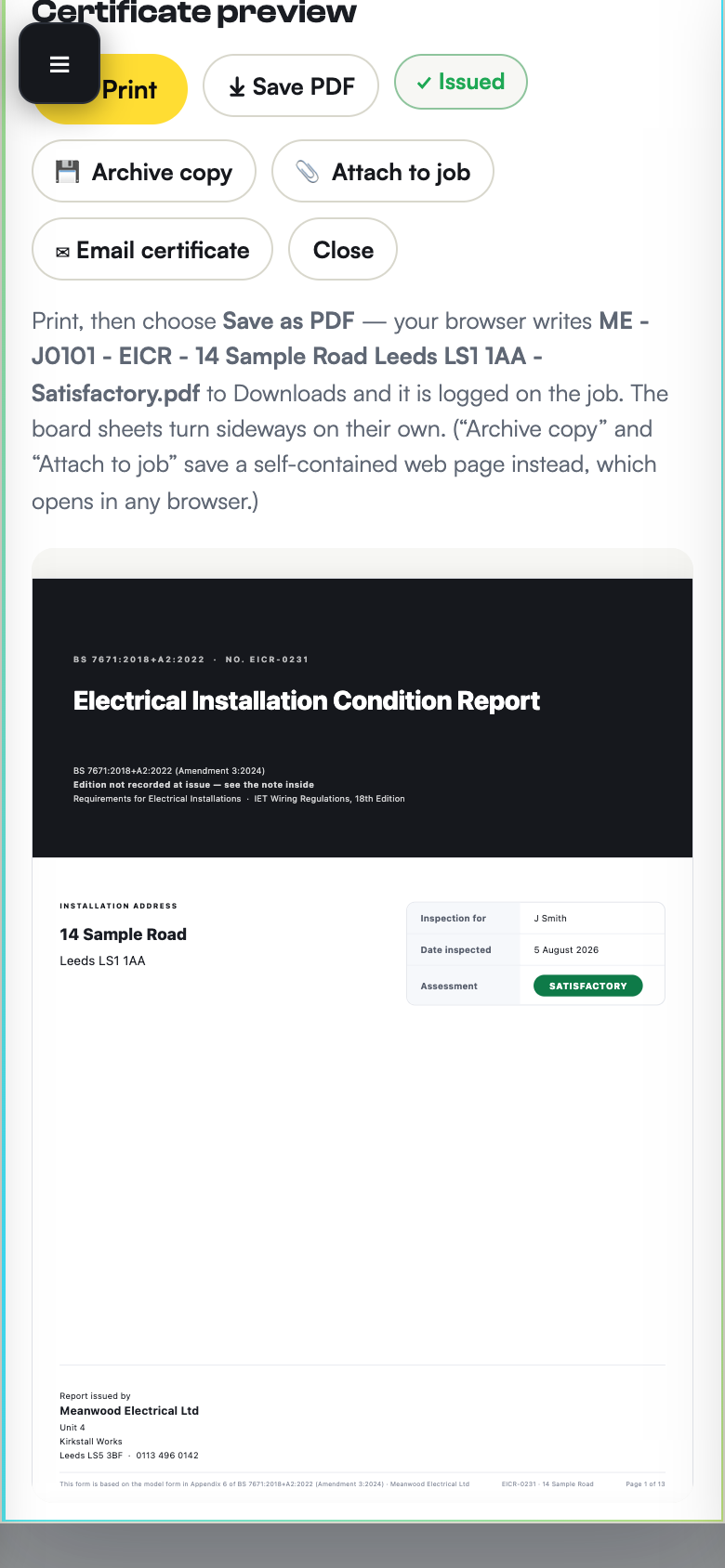
The finished EICR, ready to send.
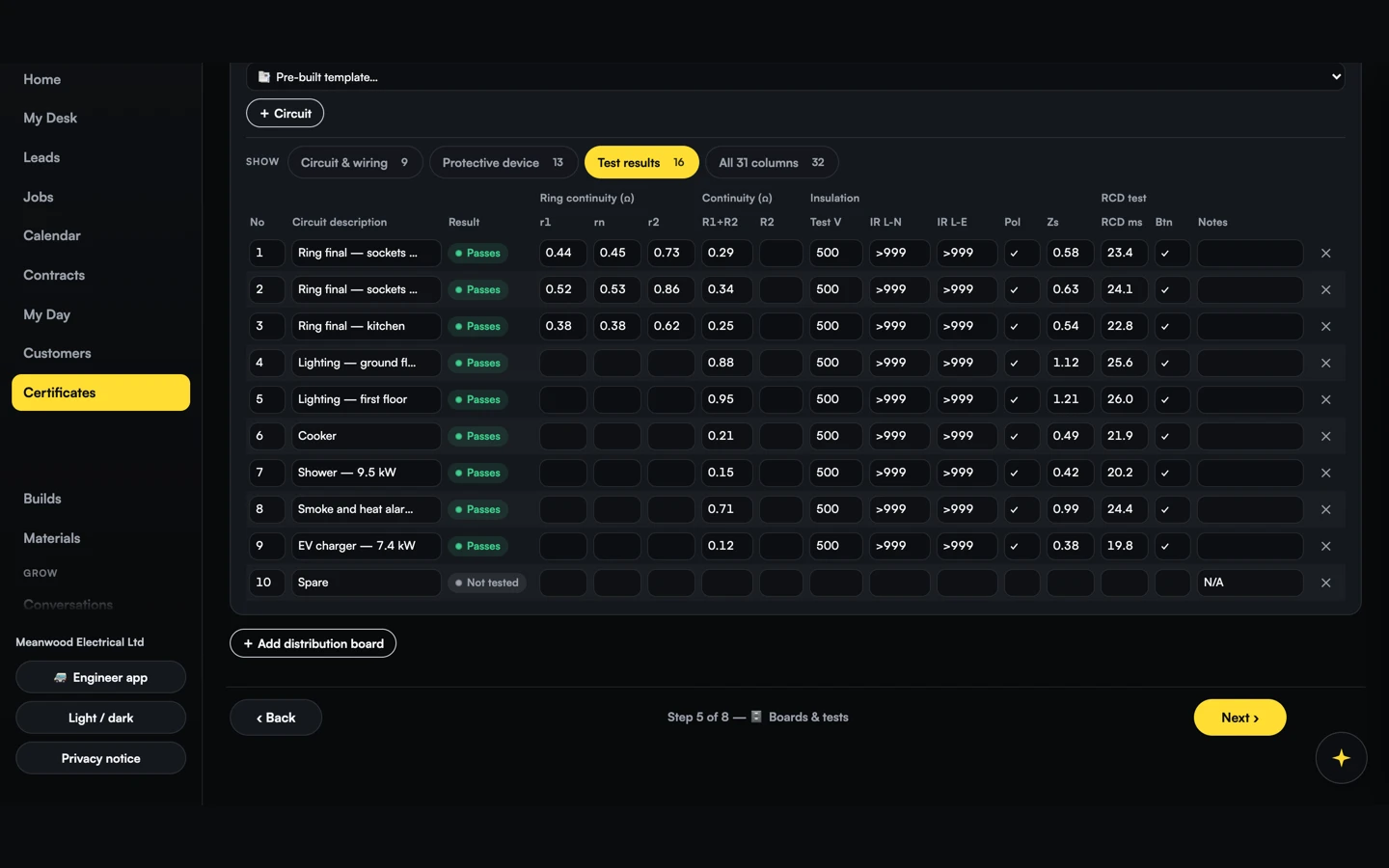
Every reading checked against BS 7671 as you type.
Who it's for
Just you or five vans out, built for the phone
It runs on the phone at the board with the leads in your hand. No signal down a cellar and it writes the cert anyway. Same login on the iPad or the office machine.
On your own
Runs off the phone in your pocket.
One to four on the tools
Everyone signs into the same account.
A business with an office
Everyone's work lands on one account.
Assessment day
Your assessment pack is built before they ask
When the visit gets booked the pack is sat there. It comes out in the order an assessor works through it, so you spot anything out of date before they do. I've been through the lot. No other certificate software builds the pack, your calibration records and your fleet documents in one place.
your letterhead here
Assessment pack
Moving over
Your certificate, with your registration on it
Schemes assess contractors, not software. Your registration number is on the EICR's Appendix 6 form. Your Qualified Supervisor's name is in the box that signs it, and the assessor's assessing you.
Old certs stay put. Bring one across when the property's due and it fills the schedule.
This replaces a subscription, it doesn't add one
I got sick of paying for three things that all do half a job. Even spent about four grand trying to move off them. I built this to take one off the list.
Who built it
I've run my own electrical business for nearly 13 years
I'm Jamie Grady and I run an NICEIC registered business in West Yorkshire. I'm its Qualified Supervisor, so my name goes on the same schedules as yours.
I built it because my software wouldn't talk to itself, and I was checking readings by eye a computer should have caught.
Not a software company, just a sparky.
the box that signs it
Report authorised for issue
your name here
In development
What I'm building next
None of this is for sale.
Quoting and job management
Scheduling
Solar with MCS packs
Create your account
Set your account up now
Free for 14 days from the first job you put on it. No card, and nobody to ring.
Questions
Your account's built the moment you sign up. You're straight into Certificates, no waiting for a callback.
No. Nothing to enter, just an email and a password.
Yes. Export it from Settings whenever you like.
Yes. The phone's what it's built for. The browser is just how it opens, and it keeps working down a cellar with no bars on the phone. The same login opens on the iPad and the office machine too.